How to Troubleshoot a Malfunctioning Solar Inverter Step by Step
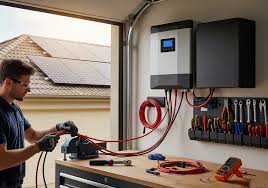
A solar inverter is the heart of your solar system. It converts the DC electricity from your solar panels into AC electricity for your home or business. When it malfunctions, your system may underperform, shut down, or even damage connected appliances.
The good news? Many inverter issues are simple to troubleshoot if you follow the right steps.

Step 1: Check the Inverter Display and Indicators
Most modern inverters have LED lights or digital screens. Look for:
- Red or flashing lights
- Error codes
- Overload or low voltage warnings
What to do:
- Refer to the inverter manual for error codes
- Note the status for reference
- Do not touch any internal component yet
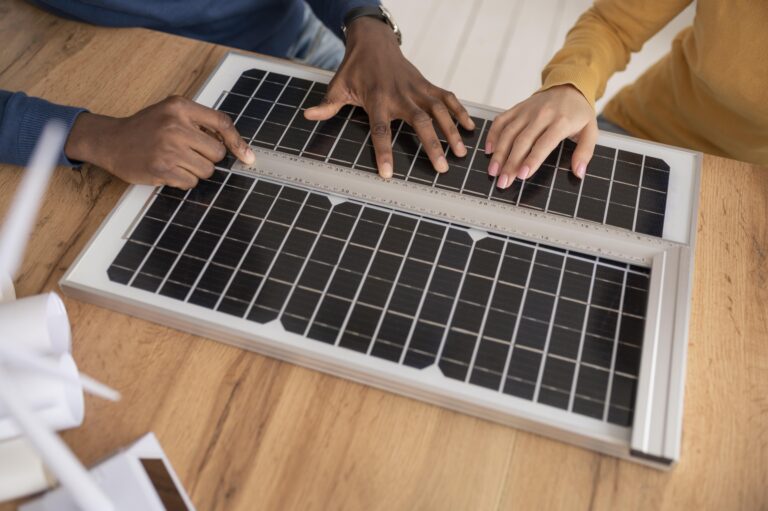
Step 2: Inspect the Solar Panels
Sometimes the problem isn’t the inverter—it’s the panels.
Check for:
- Dust, dirt, or debris covering panels
- Loose or disconnected wires
- Physical damage (cracks or hotspots)
Solution:
- Clean panels gently with water and soft cloth
- Tighten loose connections
- Replace damaged panels if necessary
Step 3: Verify Battery Health
In off-grid or hybrid systems, a weak or discharged battery often causes inverter malfunction.
Check:
- Battery voltage using a multimeter
- Signs of swelling or leakage
- Connection tightness
Solution:
- Recharge batteries fully
- Replace faulty batteries
- Ensure correct voltage compatibility with inverter
Step 4: Examine Wiring and Connections
Loose or corroded wires can prevent proper inverter operation.
Check:
- AC and DC wiring
- Connectors and terminals
- Breakers and fuses
Solution:
- Tighten all loose connections
- Replace corroded wires
- Reset tripped breakers or replace blown fuses
Step 5: Reset the Inverter
Sometimes, a simple reset restores normal operation.
How to reset:
- Turn off the inverter
- Disconnect it from solar panels and batteries (if applicable)
- Wait 5–10 minutes
- Reconnect and power it on
Note: Always follow manufacturer instructions for your inverter model.
Step 6: Check Load and Appliances
An inverter may trip if connected appliances draw more power than its capacity.
Check:
- Total connected load in watts
- Appliances causing frequent trips (e.g., ACs, heaters)
Solution:
- Reduce load to match inverter rating
- Use a separate circuit for heavy appliances
- Upgrade to a higher-capacity inverter if needed
Step 7: Monitor Temperature and Ventilation
Overheating is a common cause of inverter malfunction.
Check:
- Inverter placement (avoid sunlight or hot rooms)
- Ventilation gaps
- Dust or obstruction of cooling fans
Solution:
- Move inverter to cooler, ventilated location
- Keep airflow clear
- Clean cooling fans periodically
Step 8: Consult the Manufacturer or a Professional
If your inverter still malfunctions after all these checks, contact a qualified solar technician or the manufacturer’s support.
Why:
- Inverters have sensitive electronics that can be damaged by DIY repairs
- Professional technicians can run diagnostic tools for accurate troubleshooting
Final Tips for Solar Inverter Maintenance
- Check inverter display daily for warnings
- Clean solar panels regularly
- Ensure battery health with periodic voltage checks
- Maintain proper ventilation for inverters
- Use correctly rated breakers, fuses, and cables
Following these steps ensures your solar inverter stays reliable and efficient, even during extreme weather conditions.