How to Set Your Charge Controller Correctly for Lithium Batteries
Lithium batteries are powerful, long-lasting, and highly efficient—but only if they are set up correctly. One wrong setting on your charge controller can reduce battery lifespan, cause overcharging, or even damage your entire solar system.
In this guide, you’ll learn exactly how to set your charge controller for lithium batteries, whether you’re using a Growatt, Must, Epever, MPPT/PWM, or any brand.
🔋 Why Lithium Batteries Need Correct Settings
Lithium batteries (especially LiFePO4) behave differently from lead-acid batteries. They require:
- Higher charging efficiency
- Specific voltage limits
- No equalization (this is dangerous for lithium!)
- Temperature protection
- Absorption and float settings that match the BMS
Using lead-acid settings on lithium batteries can cause:
❌ Overcharging
❌ Swelling
❌ BMS shutdown
❌ Reduced lifespan
⚙️ Key Settings You Must Configure
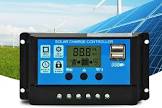
Every MPPT charge controller will have similar options. These are the correct lithium battery parameters you must set:
1️⃣ Battery Type
Set this to:
✔ Lithium / LiFePO4 / User-defined
❌ Do NOT use AGM, GEL, or Flooded battery modes.
If your controller has no Lithium option, select USER or CUSTOM so you can enter voltages manually.
2️⃣ Bulk / Boost Charging Voltage
This is the main charging voltage that fills the battery.
- Recommended: 14.2V – 14.6V (for 12V systems)
- For 24V systems: 28.4V – 29.2V
- For 48V systems: 56.8V – 58.4V
Many lithium batteries specify:
➡️ 14.4V (12V system)
➡️ 28.8V (24V system)
➡️ 57.6V (48V system)
Check your battery manual to match the exact number.
3️⃣ Float Voltage
Lithium batteries do not need float charging like lead-acid. Still, some charge controllers require a value.
Set to:
✔ 13.5V – 13.8V (12V)
✔ 27.0V – 27.6V (24V)
✔ 54.0V – 55.2V (48V)
This prevents the battery from staying at high voltage for too long.
4️⃣ Equalization (VERY IMPORTANT ⚠️)
Lithium batteries must never be equalized.
Set to:
✔ Equalization OFF / Disabled
✔ If it cannot be disabled, set equalization voltage equal to float voltage.
Example:
- Equalization voltage = 13.5V (same as float)
- Equalization duration = 0 minutes
5️⃣ Low Voltage Disconnect (LVD)
This protects your battery from over-discharging.
- Recommended LVD: 10.5V – 11.0V (12V)
- Reconnect voltage: 12.0V – 12.5V
For 48V systems:
- LVD: 42V – 44V
- Reconnect: 48V – 50V
If your battery has a built-in BMS (most do), align these settings with BMS specifications.
6️⃣ Temperature Compensation
Lithium batteries do NOT need temperature compensation. Set it to:
✔ OFF
Or
✔ 0mV/°C
This prevents incorrect charging during hot or cold weather.
7️⃣ Maximum Charging Current
Never exceed your battery manufacturer’s rating.
For example, if your battery says MAX CHARGE CURRENT = 60A, set the charge controller to:
✔ 50–60A maximum
Overshooting can damage the battery or trigger BMS shutdown.
🧪 Sample Settings for Lithium (Universal Guide)
For 12V Lithium Battery
| Setting | Value |
|---|---|
| Bulk / Boost | 14.4V |
| Float | 13.6V |
| Equalization | OFF |
| LVD | 11.0V |
| Reconnect | 12.2V |
| Max Charge Current | As per battery manual |
For 24V Lithium Battery
| Setting | Value |
|---|---|
| Bulk | 28.8V |
| Float | 27.2V |
| Equalization | OFF |
| LVD | 22–23V |
| Reconnect | ~25V |
For 48V Lithium Battery
| Setting | Value |
|---|---|
| Bulk | 57.6V |
| Float | 54.4V |
| Equalization | OFF |
| LVD | 44V |
| Reconnect | 48–50V |
⚠️ Pro Tips for Safety and Maximum Battery Life
✔ Always check battery manual for exact recommended values
✔ Never let lithium batteries drop below 20%
✔ Do not leave batteries in constant float mode
✔ Use only MPPT charge controllers
✔ Make sure the inverter battery settings match your controller settings
✅ Conclusion
Setting your charge controller correctly for lithium batteries is one of the most important steps in building a safe, long-lasting solar system. With the right voltage, current, and safety configurations, your lithium battery will last 5–10 years without problems.
Proper settings prevent:
- Overcharging
- Over-discharging
- BMS shutdown
- Reduced lifespan
Take time to configure it properly and your system will run smoothly and reliably.